One box searches everything
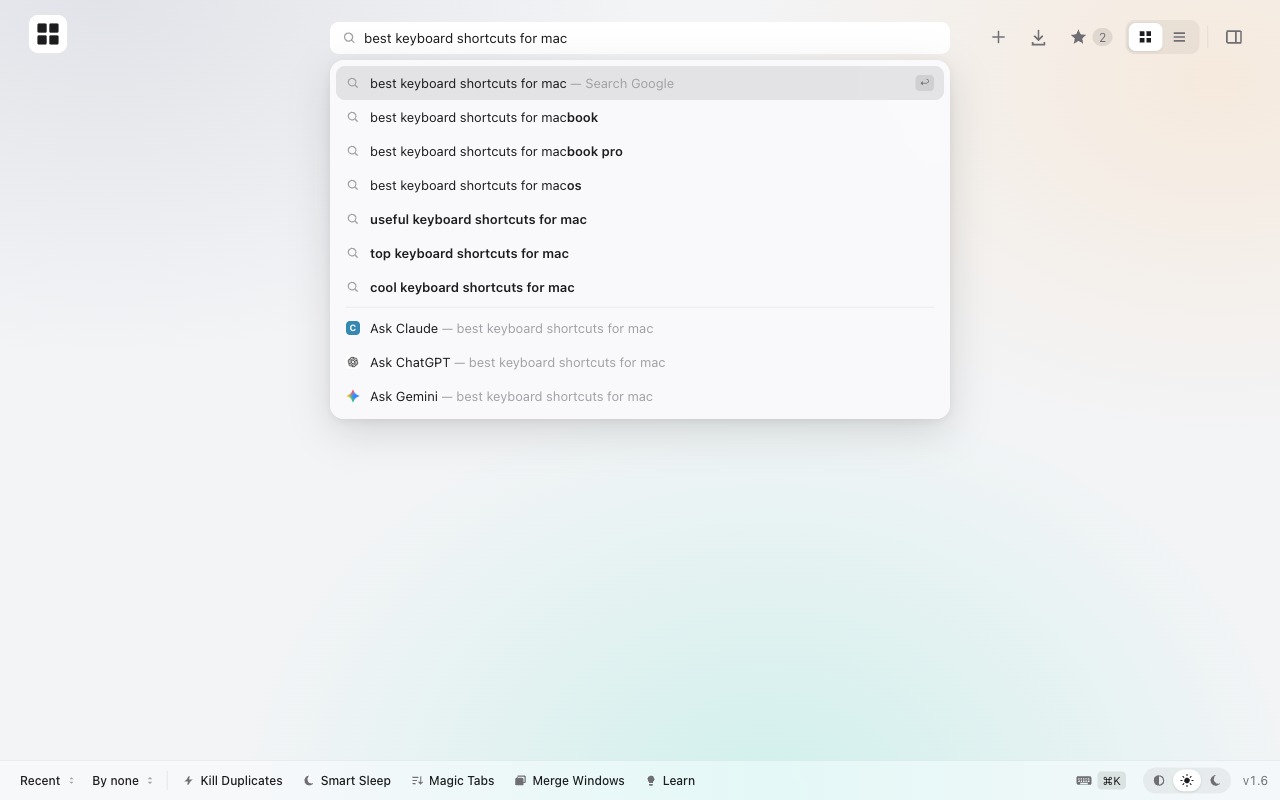
Open tabs, recently closed tabs, history, shortcuts and downloads, all from one field. Fuzzy matching forgives typos, so gthb still finds GitHub.
Open tabsRecently closedHistoryDownloadsAsk Claude, ChatGPT, Gemini
You have 47 tabs open. Tabie puts every one of them on one calm, searchable page, so you can find any tab in three keystrokes and clean up the rest in one click.
Then press ⌥T on any site · AltT on Windows

Live demo: tap the search box and type gthb, tap a tab, or open Super Clean.
This is a live demo: type to search (try gthb), use ↑↓ and ↩, or open Super Clean.
From chaos to calm
Tabie doesn't ask you to change how you browse. Keep opening tabs. Tabie keeps them findable, then helps you let go of the ones you're done with.
tiny tabs, no titles, and a lot of squinting
⌥T, a few letters, ↩. You're there.
Features
Open tabs, recently closed tabs, history, shortcuts and downloads, all from one field. Fuzzy matching forgives typos, so gthb still finds GitHub.
Close tabs you haven't touched in hours, every duplicate, or everything at once. Pinned and playing tabs are always safe.
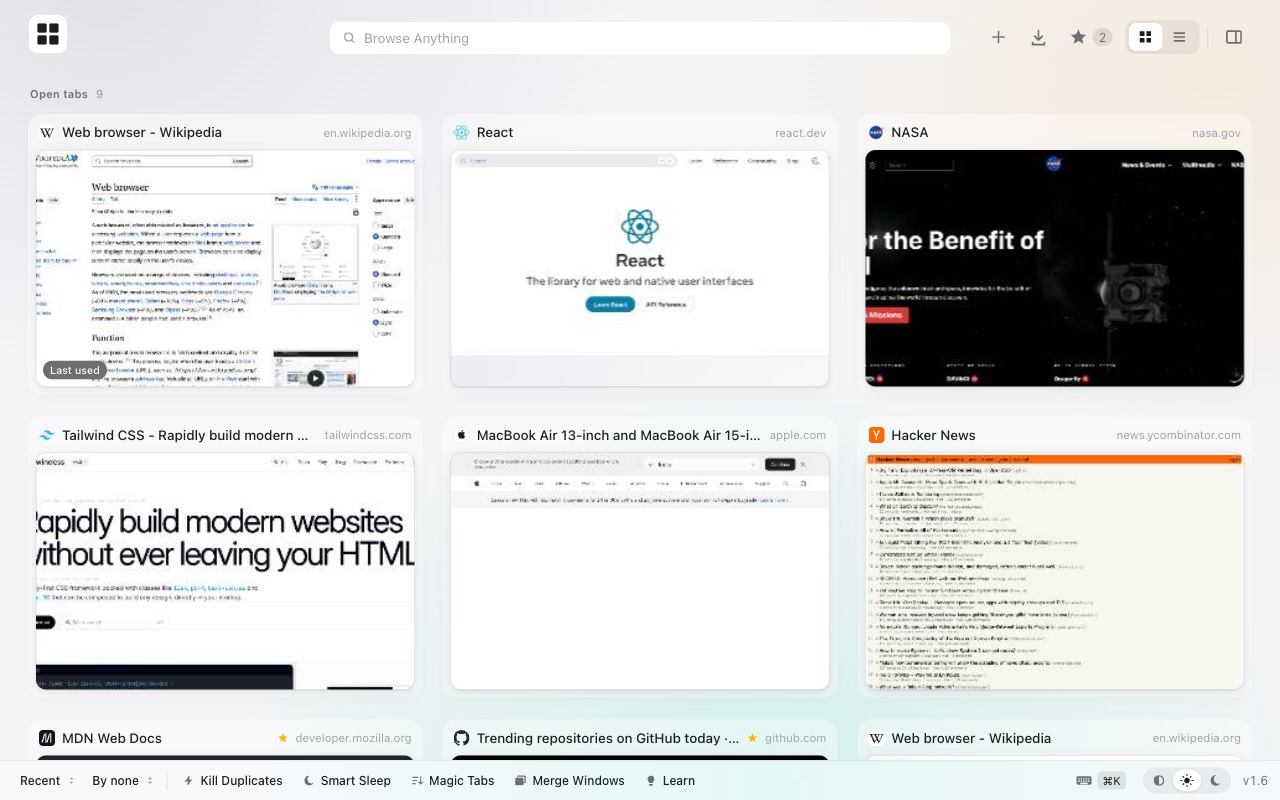
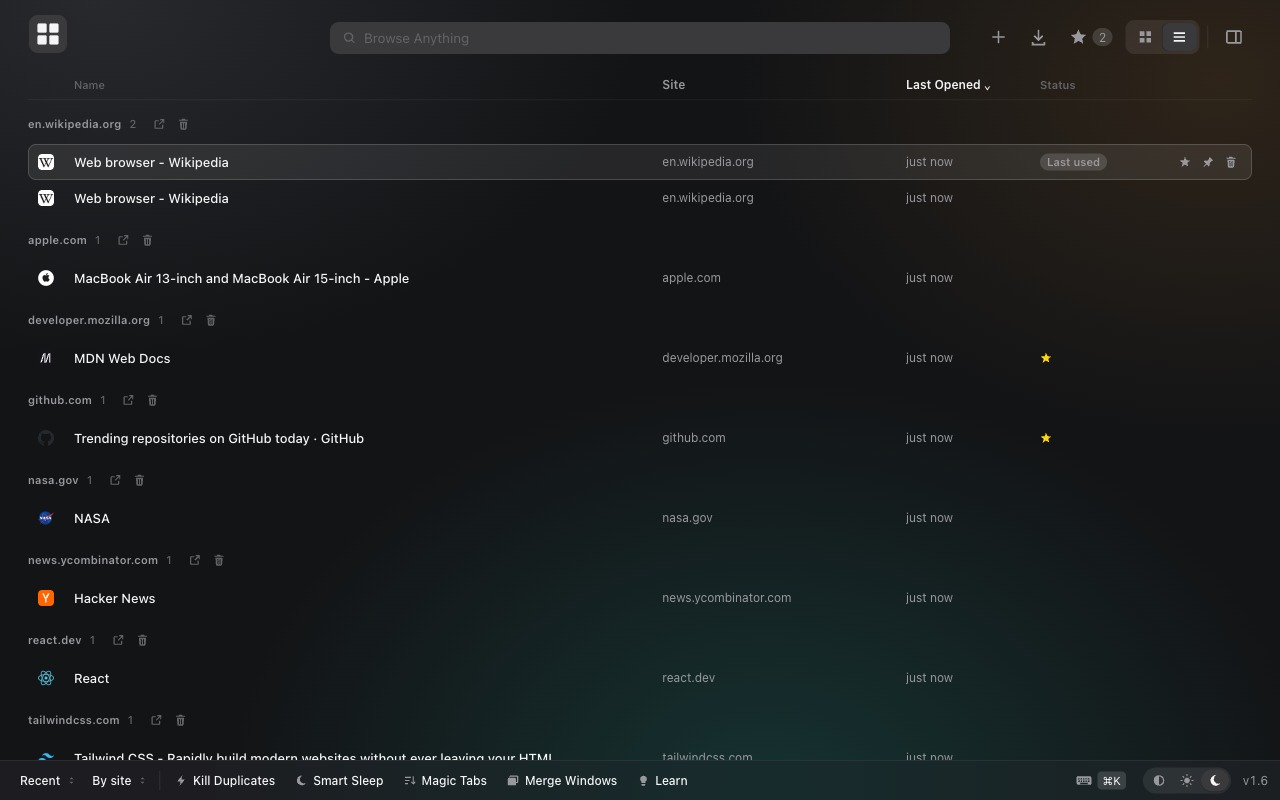
Card view shows a live preview of every page. Previews are captured only when you look at a tab, so Tabie never wakes a sleeping tab. Prefer density? Switch to a Finder-style list.
Unload tabs you haven't used in 30 minutes. They wake up the moment you return.
Line up every tab by website in one click. Merge all your windows into one, too.
Star a tab and it's saved as a real browser bookmark. It survives restarts and syncs with your account.
Slide-in sheets for 90 days of history, recently closed windows, and every file you've downloaded.
Every new tab opens Tabie. Or dock it to the side of your window and keep it there.
A frosted, macOS-style design that follows your system appearance, or doesn't.
Keyboard first
Every action has a shortcut. Press ⌘K inside Tabie to see them all.
Secure & private by design
Install
Get Tabie from the Chrome Web Store. One click to add, and it works in every Chromium browser.
Rated 5.0 ★ on the Chrome Web Store. Enjoying it? A quick review helps others find Tabie.
Install Tabie from the Chrome Web Store. It also works in Edge, Brave, Arc, Opera and Vivaldi.
Pin Tabie to your toolbar. Every new tab now opens your calm page.
From any site, type a few letters, hit ↩. You're there.
FAQ
Yes. Tabie is completely free, with no ads, no accounts and no paid tier.
No. Tabie has no servers, no analytics and no accounts. Your tabs, previews and settings stay on your computer. The only thing that ever leaves your browser is search text you choose to send to your search engine for suggestions. See the privacy policy.
Google Chrome, Microsoft Edge, Brave, Opera, Vivaldi, Arc and other Chromium browsers, plus Firefox 121 or newer.
Open Super Clean in Tabie's bottom bar and pick Clean 1h, 2h, 4h or 6h ago. Tabie closes tabs you haven't opened in that time, keeping pinned tabs, tabs playing sound and the tab you're on. Anything closed can be reopened from Recently Closed.
Press ⌥T (AltT on Windows and Linux) from any website, type a few letters of the page's title or address and press ↩.
No. Previews are captured only when you look at a tab, so Tabie never wakes or reloads tabs. Smart Sleep can even unload tabs you haven't used in 30 minutes to free up memory.
Support Tabie
No ads, no paid tier, no selling data. If Tabie saves you time every day, a small donation keeps it fast, private and maintained.